Valorant Invisible Name – Play Valorant Invisibly
Updated on
Generate invisible in-game names for Minecraft.
This tool generates Unicode spaces for formatting, usernames, and design. Nothing is installed or stored.
This tool generates Unicode spaces and special characters for formatting, usernames, testing, and design purposes. No software is installed, no personal data is collected, and no device changes are made.
This tool is intended for formatting and design use only.
How Does the Valorant Invisible Name Generator Work?
This tool generates invisible Unicode characters specifically tested for Valorant’s Riot ID system. The generator provides three character options: Braille Blank (U+2800), Hangul Filler (U+3164), and a zero-width character. Each produces a character that Riot’s naming system accepts as valid input but that renders as blank space in the game client.
Select your character type using the buttons at the top of the tool. The Braille Blank is the recommended option for Valorant because it has the highest acceptance rate in Riot’s current name validation. Tap “Copy to Clipboard” to copy a single character. Since Riot IDs require a minimum of 3 characters, use the quantity selector to generate 3 or more characters and tap “Preview and Copy” to copy the full block. The verify section at the bottom lets you paste and confirm the copy was successful. The character counter displays the count even though the characters are invisible.
How Do You Set an Invisible Name in Valorant?
Changing your Valorant name requires modifying your Riot ID through the official Riot Games website. The name cannot be changed from within the Valorant game client.
Step 1: Copy the Invisible Characters
Open this tool and select the Braille Blank (U+2800) option. Set the quantity to at least 3 using the quantity selector. This is critical because Riot IDs require a minimum of 3 characters. Tap “Preview and Copy” to copy 3 or more invisible characters to your clipboard.
Step 2: Log Into Your Riot Account
Open your browser and go to account.riotgames.com. Log in with the credentials you use for Valorant. Navigate to the Riot ID section of your account settings.
Step 3: Paste and Save
Click the Game Name field. Clear any existing text. Paste the invisible characters (Ctrl+V on PC, Cmd+V on Mac). The field appears empty, but the characters are present. The character counter on the page should show at least 3. Click Save. Your Riot ID updates across all Riot Games titles.
The 90-Day Cooldown
Riot Games enforces a 90-day cooldown on Riot ID changes. Once you save the invisible name, you cannot change it again for three months. This makes it essential to verify the invisible characters before saving. Use the verify section in the tool above to confirm the characters copied correctly. If the invisible name fails to render properly in-game, you are locked into that name for 90 days. For a full breakdown of every method including privacy settings and chat tricks, the Valorant invisible name guide covers each approach in detail.
Which Invisible Character Works Best for Valorant?
Riot’s name validation system handles different Unicode characters in different ways. The right choice determines whether your name appears blank or shows as a visible box symbol.
Braille Pattern Blank (U+2800)
This is the most reliable character for Valorant Riot IDs. The Braille Blank passes Riot’s current validation and renders as completely blank space in the game client. It is classified as a symbol in Unicode, which gives it a different validation profile than letter-class characters. Select the “Braille” button in the tool above to generate this character.
Hangul Filler (U+3164)
The Hangul Filler is the most widely used invisible character across all platforms. It works on many gaming services, but its reliability on Valorant’s Riot ID system has fluctuated with patches. During some periods, Riot’s validation accepts it without issue. During others, it renders as a visible box or square symbol instead of blank space. Use this as a backup if the Braille Blank fails.
Zero-Width Characters
Zero-width characters like the Zero-Width Space (U+200B) and the Word Joiner (U+2060) have inconsistent support in Valorant. Riot’s system frequently strips them during the name saving process, causing a validation error. These characters are not recommended for Riot ID changes.
Why Multiple Characters Are Needed
Riot IDs have a minimum length of 3 characters. A single invisible character does not meet this requirement. Paste at least 3 of the same invisible character to satisfy the minimum. Using the quantity selector in the tool above makes this process simple. Set the quantity to 3, copy the block, and paste it into the Game Name field.
What About the Tagline?
A Riot ID consists of two parts: the Game Name and the Tagline (the part after the # symbol). The Game Name can be made invisible using this tool. The Tagline cannot.
Tagline Restrictions
Riot enforces strict alphanumeric validation on the Tagline field. Only letters A through Z and numbers 0 through 9 are accepted. The Tagline must be 3 to 5 characters long. Invisible Unicode characters are rejected in this field. Your Tagline remains visible even when your Game Name is blank.
What It Looks Like
With an invisible Game Name and a visible Tagline, your Riot ID displays as “#ABC” (or whatever your Tagline is) in some contexts. In-game, the Game Name field appears blank on the scoreboard, kill feed, and agent select screen. The Tagline is not displayed during matches, so other players see a completely blank name during gameplay.
What Does an Invisible Name Look Like in Valorant?
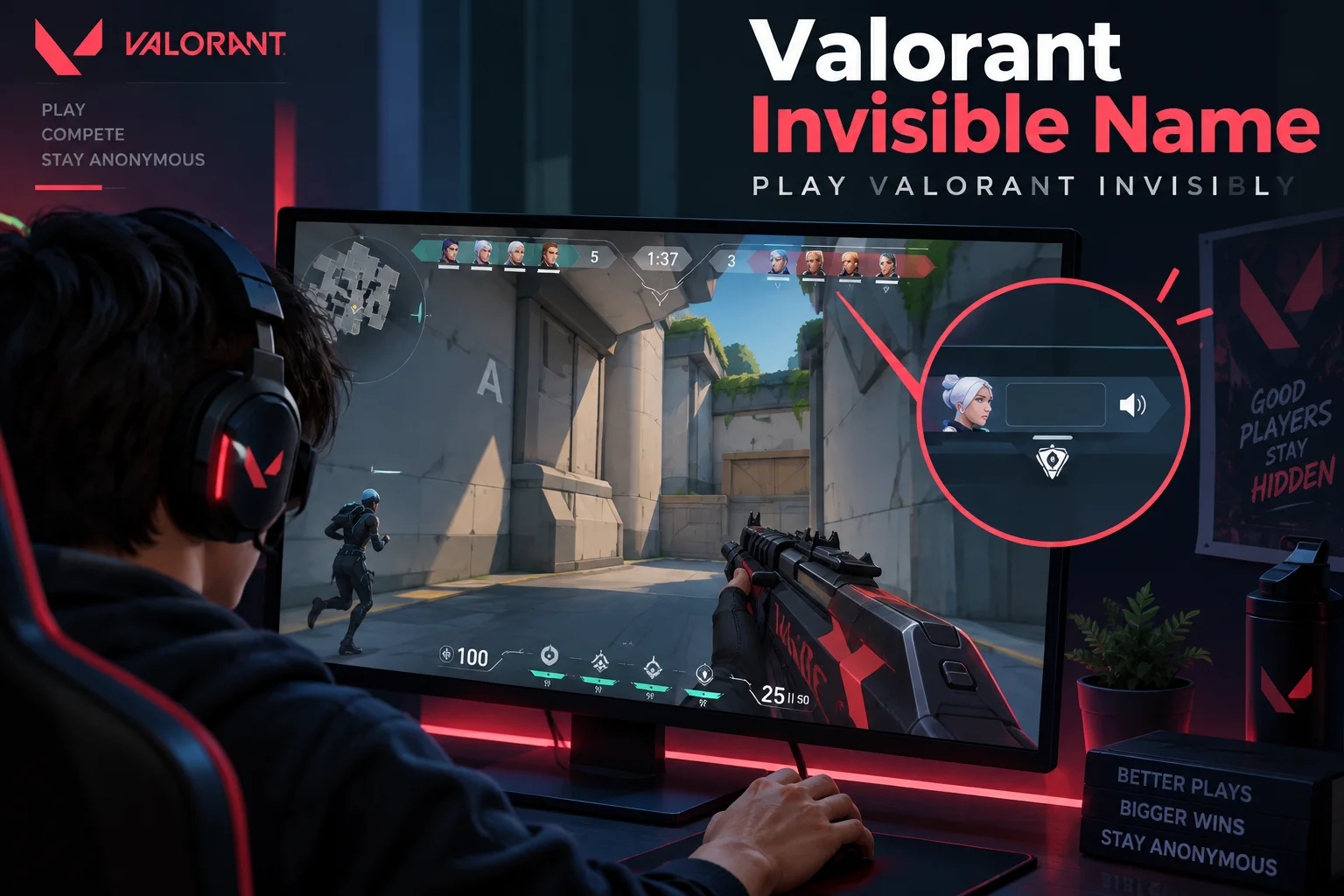
The invisible name affects several areas of the Valorant interface.
Agent Select
During agent select, your name appears above your selected agent’s portrait. With an invisible name, this space shows nothing. Other players in the lobby see a blank entry where your name should be.
Scoreboard
Press Tab during a match to open the scoreboard. Your row displays your agent icon, rank icon, combat score, kills, deaths, and assists. The name column for your entry appears blank. Other players on both teams see the blank name in the scoreboard.
Kill Feed
When you eliminate an opponent, the kill feed in the top-right corner of the screen shows the elimination event. Your name portion of the kill feed is blank, creating messages that appear as “[blank] eliminated PlayerName” or similar patterns where the attacker name is missing.
Chat
In-game chat messages from your account show your blank name followed by your message. Other players see a message that appears to have no sender name. For additional ways to send invisible content in Valorant’s chat, the blank chat guide covers how to type invisible messages during matches.
Does the Invisible Name Apply to Other Riot Games?
Your Riot ID is shared across all Riot Games titles. Changing it to an invisible name in Valorant also changes it in every other Riot game you play.
League of Legends
Your invisible Riot ID appears blank in the League of Legends client, champion select, in-game scoreboard, and chat. The same invisible name displays to other players in all game modes.
Teamfight Tactics
TFT uses the same Riot ID. Your name appears blank in the lobby, during the game on the player list, and in the post-game results screen.
Other Riot Titles
Any current or future Riot Games title that uses the Riot ID system displays the same invisible name. This includes Legends of Runeterra, Wild Rift, and any new games released under the Riot account system.
What Is the Official Alternative to an Invisible Name?
Valorant provides built-in privacy settings that hide your name without modifying your Riot ID. These settings are the officially supported way to conceal your identity in matches.
How to Enable Privacy Settings
Open Valorant. Press Escape or click the gear icon to open Settings. Select the General tab. Scroll down to the Privacy section. Two toggles are available.
Hide My Name from Players Outside My Party
Enabling this toggle replaces your Riot ID with a generic identifier for all players not in your party. During agent select, they see “Player 1” through “Player 5.” During the match, they see your Agent name (such as “Jett” or “Omen”) instead of your Riot ID.
Use Generic Names for Players Outside My Party
This toggle hides other players’ names from your screen. Their Riot IDs are replaced with their Agent names. This is primarily designed for streamers who want to prevent stream sniping by keeping opponent names hidden from their broadcast.
Privacy Settings vs Invisible Name
Privacy settings are more reliable than invisible characters because they are an official Riot feature that cannot be broken by patches. The invisible character method carries the risk of rendering as a box symbol after updates and locks you into a 90-day cooldown. Privacy settings can be toggled on and off at any time with no cooldown. The invisible character generator provides the characters for users who prefer a permanent blank name, while privacy settings serve users who want a toggleable solution.
Final Takeaways
The Valorant Invisible Name generator provides the specific invisible characters tested for Riot’s naming system. The Braille Blank (U+2800) is the most reliable character for making your Riot ID appear blank. Copy at least 3 characters from the tool, paste them into the Game Name field at account.riotgames.com, and save. Your name appears blank on the scoreboard, kill feed, agent select screen, and chat across Valorant and all other Riot Games titles.
The 90-day cooldown on Riot ID changes makes this a commitment. Verify the invisible characters render correctly before saving by checking your in-game appearance. If you prefer a reversible solution with no cooldown risk, Valorant’s built-in privacy settings under Settings, General, Privacy achieve a similar effect by replacing your name with your Agent name for all non-party players.
Frequently Asked Questions
Riot Games periodically updates its name validation filters. The Braille Blank (U+2800) has the most consistent track record across recent patches. However, Riot can block specific characters at any time. If a working character gets patched, alternative characters from the generator may still pass validation.
Riot's Terms of Service require names to follow their naming policy, which prohibits offensive content and impersonation. Using invisible characters is a gray area. There are no widespread reports of bans specifically for invisible names, but Riot reserves the right to force a name reset if they consider the blank name a policy violation.
This happens when Valorant's text rendering engine does not have a glyph for the invisible character you used. The engine substitutes a replacement symbol (typically a small square or rectangle). Try a different character type from the generator. If the Hangul Filler shows as a box, switch to the Braille Blank, and vice versa.
The Game Name can be made invisible with this tool. The Tagline cannot. Riot enforces strict alphanumeric validation on the Tagline field, rejecting all Unicode characters that are not standard letters or numbers.
Riot IDs require a minimum of 3 characters for the Game Name. Paste at least 3 invisible characters. Using more than 3 produces the same visual result (a blank name) but does not cause any issues. The maximum is 16 characters.
Your account identity is tracked by Riot's internal systems regardless of your display name. Other players can still report you using the in-game reporting tool. Riot's moderation team sees your actual account information, not just your display name, when processing reports.
After the 90-day cooldown expires, you can change your Riot ID to any visible name by logging into account.riotgames.com and entering a new Game Name. There is no permanent lock. The invisible name is reversible once the cooldown period ends.
