Among Us Invisible Name – Copy and Paste for FREE
Updated on
Generate invisible in-game names for Among Us.
This tool generates Unicode spaces for formatting, usernames, and design. Nothing is installed or stored.
This tool generates Unicode spaces and special characters for formatting, usernames, testing, and design purposes. No software is installed, no personal data is collected, and no device changes are made.
This tool is intended for formatting and design use only.
How Does the Among Us Invisible Name Generator Work?
This tool generates invisible Unicode characters that you can paste into the Among Us name field to create a completely blank display name. The generator provides three character options: Braille Blank (U+2800), Hangul Filler (U+3164), and a zero-width character. Each option produces a character that Among Us accepts as a valid name but renders as empty space above your character and throughout the game interface.
Select your preferred character type using the buttons at the top of the tool. The Hangul Filler is the recommended option for Among Us because it has the highest success rate across all platforms and devices. Tap “Copy to Clipboard” to copy a single character. A single character is sufficient for Among Us since the game does not enforce a minimum character count for names. The verify section at the bottom lets you paste the copied character to confirm it reached your clipboard successfully. The character counter displays the count even though the character itself is invisible.
How Do You Set an Invisible Name in Among Us?
Setting an invisible name in Among Us is done through the name field on the main menu or in the lobby. Unlike games that require website-based account changes, Among Us lets you change your name directly in the game before every match.
On Mobile (iPhone and Android)
Open the Among Us app. On the main menu, tap the name field at the top of the screen. Clear any existing text by selecting all and deleting. Long-press inside the empty field and tap Paste. The invisible character from the Among Us blank character generator pastes into the field. The field appears empty, but the character is present. Tap outside the name field or press Done on your keyboard. Enter a game. Your name appears blank above your character.
If the paste option does not appear on the first long-press, tap inside the field once to place the cursor, then long-press again. Some mobile keyboards delay the paste menu on empty fields. Disabling autocorrect before pasting prevents the keyboard from replacing the invisible character with a suggestion or a space.
On PC (Steam)
Open Among Us on Steam. On the main menu, click the name field at the top. Select all existing text and delete it. Press Ctrl+V to paste the invisible character. The field appears empty. Click outside the field to confirm. Join or host a game. Your name is blank in the lobby and during gameplay.
On Nintendo Switch
The Switch does not support direct clipboard pasting from external sources in the same way that phones and PCs do. The workaround is to link your Among Us account and change the name through a mobile device or PC, then launch the game on Switch. The blank name carries over because Among Us syncs the player name across platforms when linked to the same account.
On Xbox and PlayStation
Console versions of Among Us face the same clipboard limitation as the Switch. The most reliable method is to set the invisible name on a mobile device or PC with the same Among Us account. Once the name is set, launch the game on your console. The invisible name displays across all platforms tied to that account. For a detailed walkthrough covering every platform and troubleshooting step, the Among Us invisible name guide covers each method.
Why Does the Old Space Method No Longer Work?
Earlier versions of Among Us allowed players to set a blank name by typing a single space in the name field. Innersloth, the studio behind Among Us, patched this method in a game update. The current version trims leading and trailing spaces from the name field and rejects names that contain only whitespace characters.
What Innersloth Changed
The patch added input validation that checks whether the name field contains at least one non-whitespace character. Regular spaces, tabs, and other standard whitespace characters are stripped during validation. If the name field contains only stripped characters, the game rejects the change and reverts to the previous name or assigns a default name like “Player.”
Why the Invisible Character Bypasses the Patch
The Hangul Filler (U+3164) is not classified as whitespace in Unicode. It is classified as a letter. When Among Us checks the name field for non-whitespace content, the Hangul Filler passes the validation because the game sees a letter character. The character simply has no visible glyph, so it renders as blank space on screen while satisfying the game’s requirement for a non-empty name. This is why copying the character from a reliable source matters. The Among Us copy paste guide explains the exact copying process and how to verify the character before entering a lobby.
Which Invisible Character Works Best for Among Us?
Among Us handles Unicode characters differently than other games because of its cross-platform architecture. The game runs on Unity and supports a broad range of Unicode input, but not every invisible character renders correctly across all devices.
Hangul Filler (U+3164)
This is the recommended character for Among Us. The Hangul Filler passes the game’s name validation on mobile, PC, and console versions. It renders as completely blank space above the character model, in meetings, in chat, and in the kill feed. Select the “Hangul” button in the tool above to generate this character.
Braille Pattern Blank (U+2800)
The Braille Blank is the best alternative when the Hangul Filler fails on a specific device or after a particular game update. It is classified as a symbol rather than a letter, which gives it a different validation profile. On most Among Us versions, the Braille Blank produces the same visual result as the Hangul Filler: a completely blank name.
Zero-Width Characters
Zero-width characters like the Zero-Width Space (U+200B) have inconsistent results in Among Us. On some versions, the game strips them during name processing, causing the name to revert to “Player” or a default assignment. These characters are not recommended as a first choice.
What Does an Invisible Name Look Like in Among Us?
The invisible name affects every area of the game where your name is displayed.
Above Your Character
The name text that normally floats above your colored crewmate or impostor model disappears. Other players see your character moving around the map with no name above it. This is the most immediately noticeable effect and the primary reason players use invisible names.
During Emergency Meetings
When an emergency meeting or dead body report is called, all players appear on the voting screen. Each player’s name displays next to their colored character icon. With an invisible name, your entry shows the character icon with a blank space where the name should be. Other players must identify you by color rather than by name during discussions.
In Chat Messages
When you type in the meeting chat, your messages appear with a blank sender name. Other players see chat messages that seem to have no author. The colored icon beside the message still indicates which character sent it, but the name text is empty.
In Kill Notifications
When a body is reported, the notification displays which player reported it. If you have an invisible name, the notification shows a blank name followed by “reported a body.” Similarly, if you are ejected after a vote, the ejection message shows blank space where your name would normally appear.
On the Task Bar and Results Screen
The post-game results screen lists all players with their roles (Crewmate or Impostor). Your entry appears with a blank name next to your character color and role assignment. To explore how blank names interact with other gameplay elements and lobbies, the blank name in Among Us guide covers additional in-game scenarios.
What Are the Strategic Advantages of an Invisible Name?
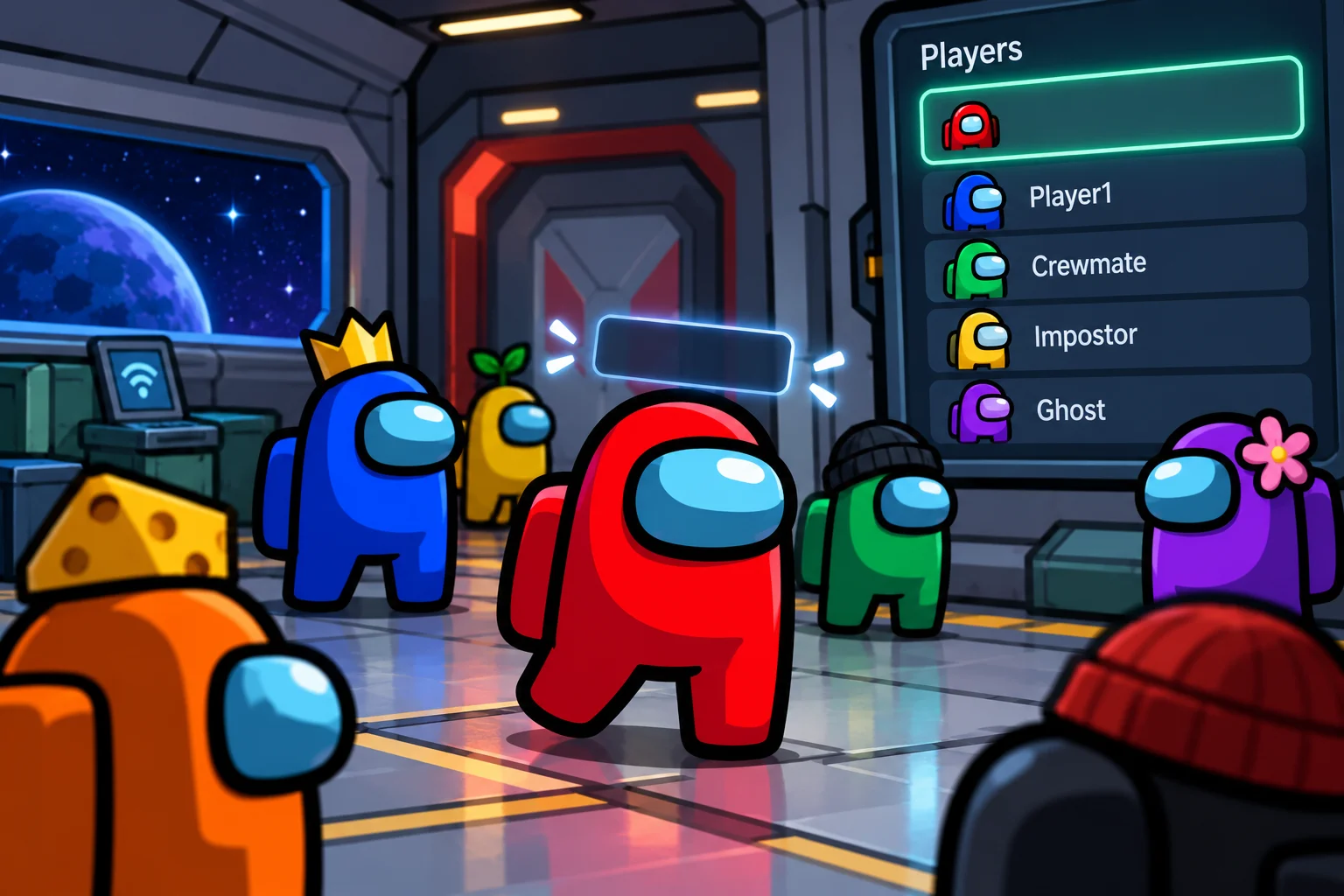
An invisible name provides several tactical benefits during gameplay.
Harder to Call Out
During emergency meetings, players discuss who they suspect. Calling out a player by name is the fastest way to direct a vote. When your name is blank, other players must describe you by color (“the red one” or “cyan”). This adds friction to the accusation process and can buy time during discussions, especially in lobbies with multiple players of similar colors or in games with colorblind players.
Impostor Stealth
As an impostor, an invisible name makes it slightly harder for crewmates to coordinate against you. Quick callouts like “I saw [name] vent” become “I saw [color] vent,” which is less immediately clear in a fast-moving chat. In lobbies where multiple players use the same color (possible in certain game modes), the confusion increases.
Psychological Effect
A blank name stands out in the lobby and during gameplay. Other players notice the invisible name and may react with curiosity, confusion, or suspicion. This psychological element can work for or against you depending on the lobby dynamics.
Can You Change Your Name Every Game?
Among Us does not enforce a cooldown on name changes. You can change your name before every game by editing the name field on the main menu.
Before Joining a Lobby
Change your name on the main menu before entering a lobby. The name you set carries into the next game you join. You can switch between an invisible name and a visible name between games without any waiting period.
Mid-Lobby Changes
In some versions of Among Us, you can change your name while sitting in a lobby before the host starts the game. Clear the name field and paste the invisible character. The change takes effect immediately for the next round.
No Account-Level Restriction
Unlike games that tie names to a persistent account system with cooldowns (such as Valorant’s 90-day lock or Fortnite’s 14-day cooldown), Among Us treats the name as a local setting that can be modified freely at any time.
Final Takeaways
The Among Us Invisible Name generator provides the exact invisible character you need to create a blank name in Among Us. The Hangul Filler (U+3164) is the most reliable character because it passes the game’s input validation as a letter while rendering as blank space on screen. Copy the character from the tool, paste it into the name field on the main menu, and join a game. Your name disappears from above your character, from meeting screens, from chat messages, and from all other name displays.
The method works on mobile and PC directly. Console players can set the name through a linked mobile or PC account. Unlike many other games, Among Us has no cooldown on name changes, so you can switch between invisible and visible names before every match. If the character fails to paste on the first attempt, verify the copy in the tool’s verify section and disable autocorrect before trying again.
Frequently Asked Questions
The Hangul Filler works on the current version of Among Us across mobile (iOS and Android), PC (Steam), and consoles (when the name is set through a linked mobile or PC account). Innersloth periodically updates the game, and future patches could potentially affect compatibility, though the invisible name method has remained functional through multiple updates.
Lobby hosts have the ability to kick any player for any reason. Some hosts may kick players with blank names because they find them suspicious or disruptive. Public lobbies are more likely to tolerate invisible names than private lobbies with established rules.
This happens when the invisible character was not pasted correctly. The game rejected the input and assigned the default name "Player." Open the verify section in the tool above, paste your clipboard content, and check whether the character counter shows 1. If it shows 0, the copy failed. Return to the generator and copy the character again.
The invisible name works in local multiplayer (same WiFi) games the same way it works in online games. The name field on the main menu applies to all game modes regardless of whether you are playing online or locally.
Multiple players in the same lobby can have invisible names simultaneously. Each player appears with a blank name above their character. During meetings, both players show blank names next to their colored icons. Other players must distinguish between them by color alone.
The invisible name is purely cosmetic. It does not affect movement speed, task completion, kill cooldown, vision range, or any other gameplay mechanic. The game treats the invisible character as a valid name and processes all gameplay identically to a named player.
Innersloth has already patched the original space method. The current Unicode character method has survived multiple updates because blocking specific Unicode characters requires targeted filtering. It is possible that Innersloth could add such filtering in a future update, but there is no indication that this is planned.
